Review every project your agents touch.
Tern is a fast, keyboard-first app for watching many git projects at once. See what needs you, read diffs, check CI, pull and push, and hand exact file paths back to your agents, without opening a single editor window.
Free for individuals and small teamsWindows, macOS, LinuxAbout a 2 MB download
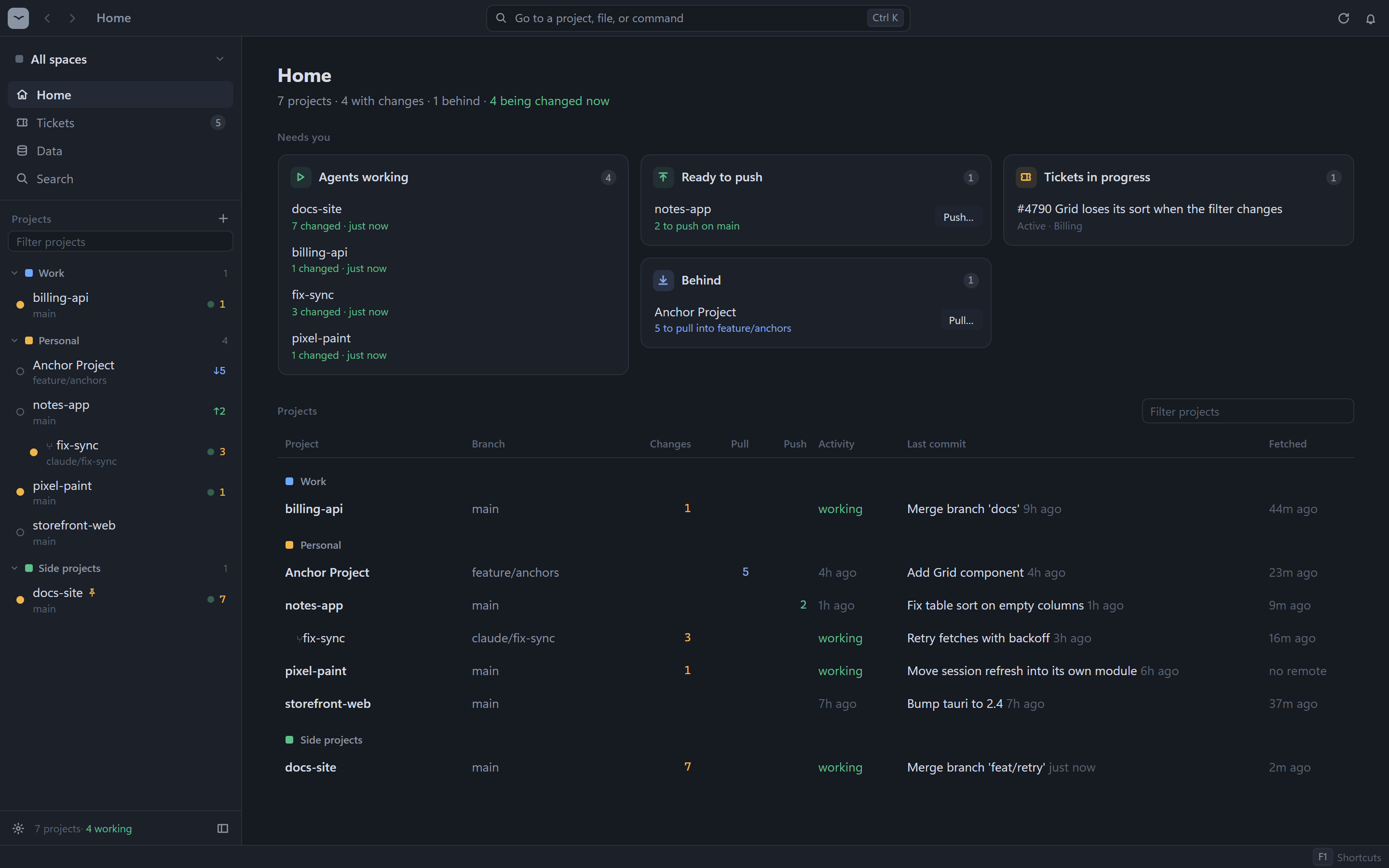
Built for the review loop
When agents write the code, your work moves from typing to reviewing. Tern keeps that loop in one window, with every step one keystroke away.
-
01
Watch
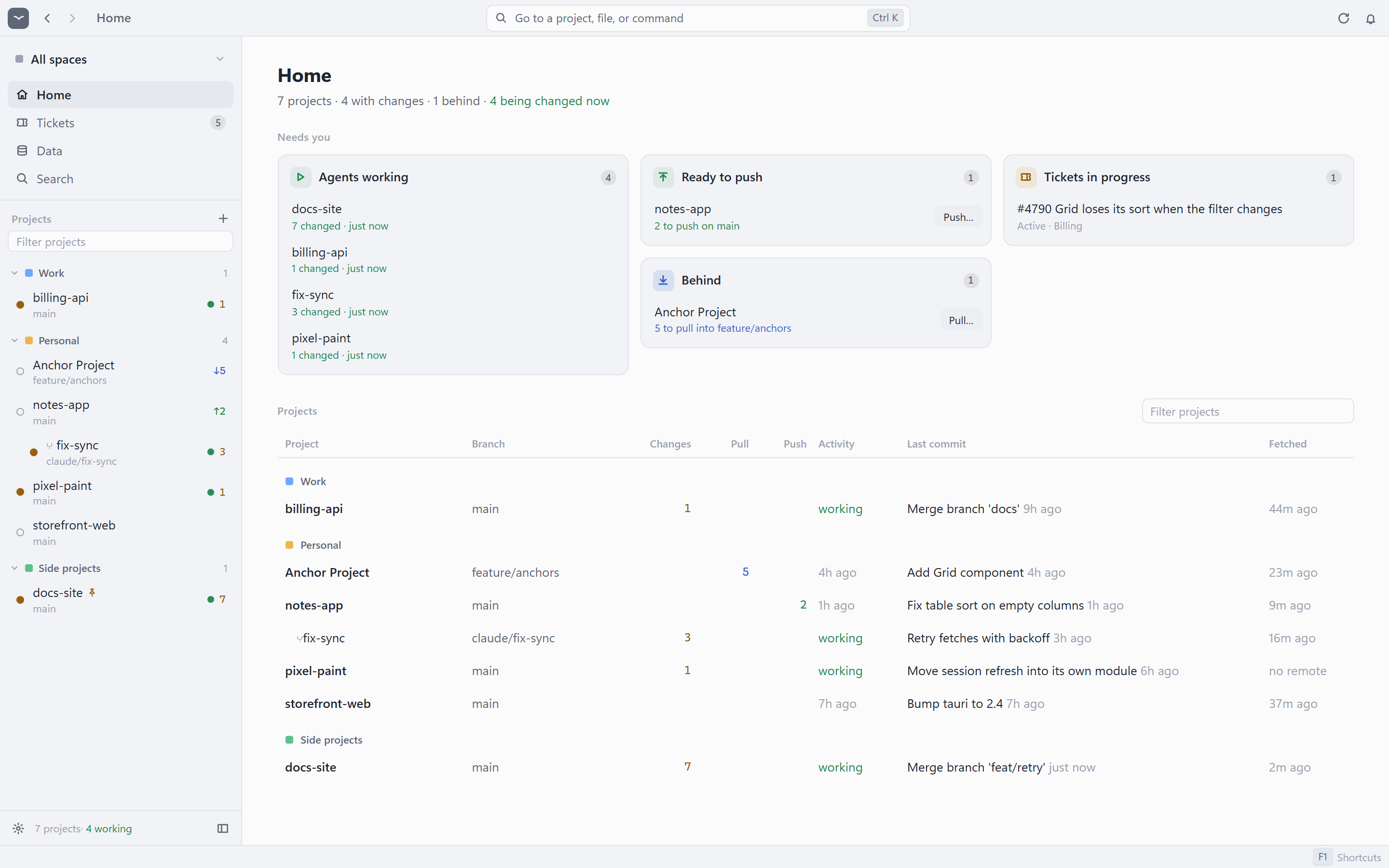
Home shows what needs you across every project and worktree. Projects an agent is changing show working, and Tern tells you when they go quiet.
Ctrl 0 Alt ↑ ↓ -
02
Review
Step through changed files with the arrow keys. Split or unified diffs, or everything a branch did since main.
↑ ↓ Ctrl D -
03
Hand off
Copy a path with line numbers, an
Ctrl Shift C@mention, a diff, a failing CI step, or a ticket, ready to paste to an agent. -
04
Ship
Stage, commit, and push. Pull and push always show you the commits first, and warn before you push to main.
S Ctrl Enter
Review without opening an editor
Step through changed files with the arrow keys. Split or unified diffs fold away the lines that did not change.
- Jump between changes with F7, and wrap long lines
- Stage, unstage, or discard single blocks of a change
- Review everything a branch did since it left main
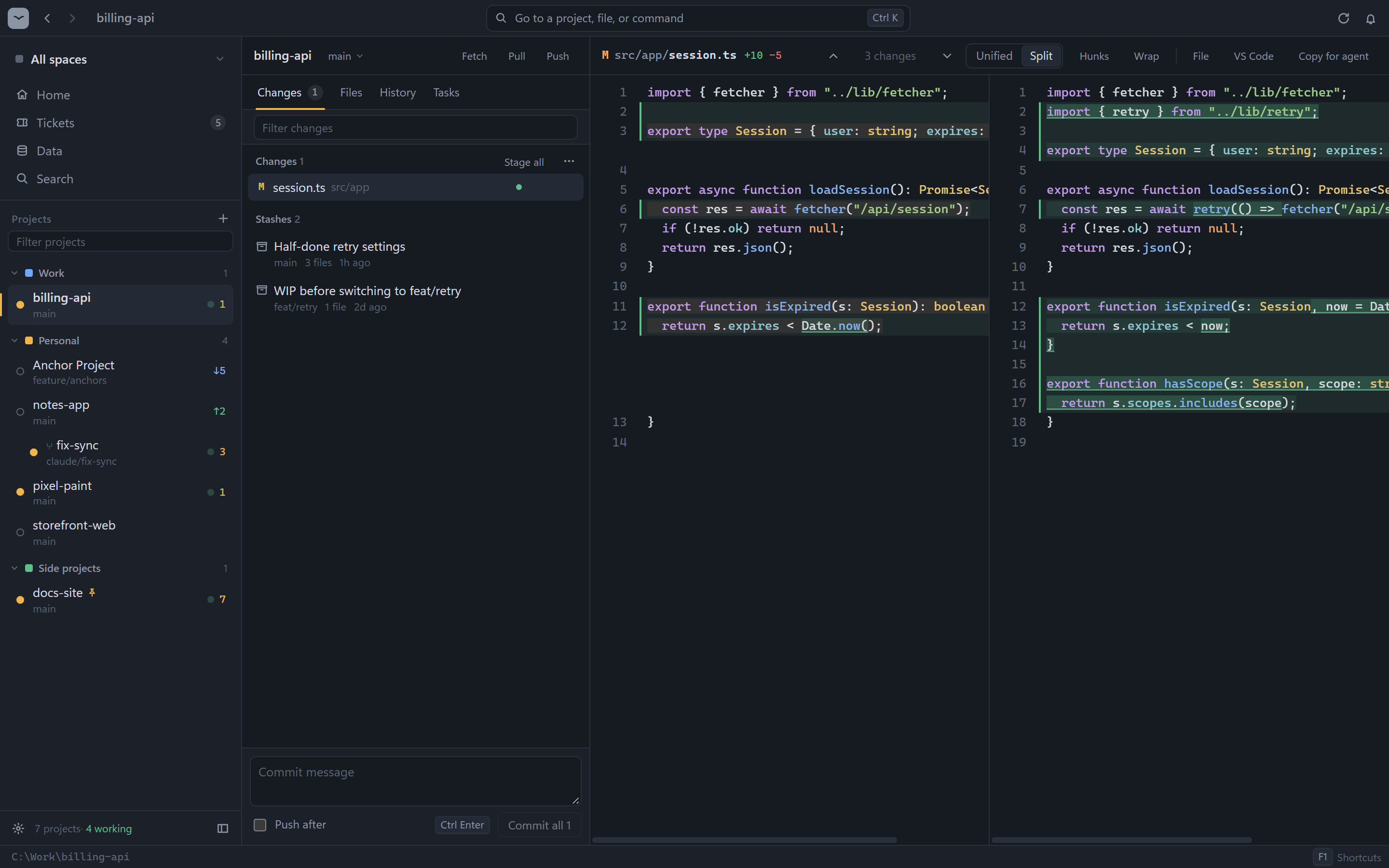
History that knows what you're missing
A commit graph with branches and tags, and the commits on the remote that you haven't pulled yet, right above your branch.
- Long runs of new commits fold into one row
- Review everything a pull would bring as one diff
- Filter commits by message, author, or ID
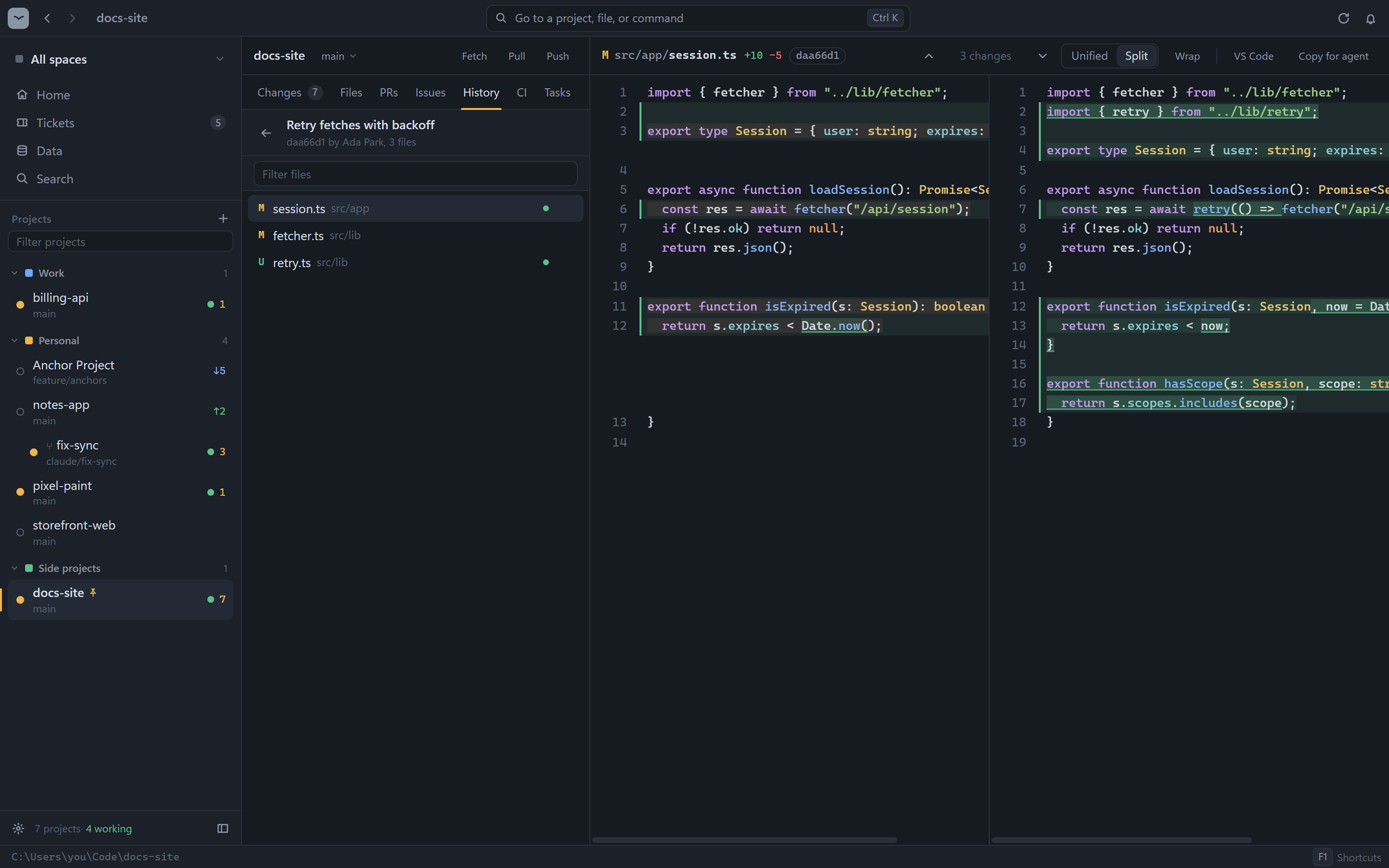
CI without the browser tab
Pipeline runs from Azure DevOps and GitHub Actions, with the stage, job, and step that failed, and its error.
- Running pipelines refresh on their own
- Tern tells you when one finishes, and Home lists failing ones
- Copy the failing steps for an agent in one click
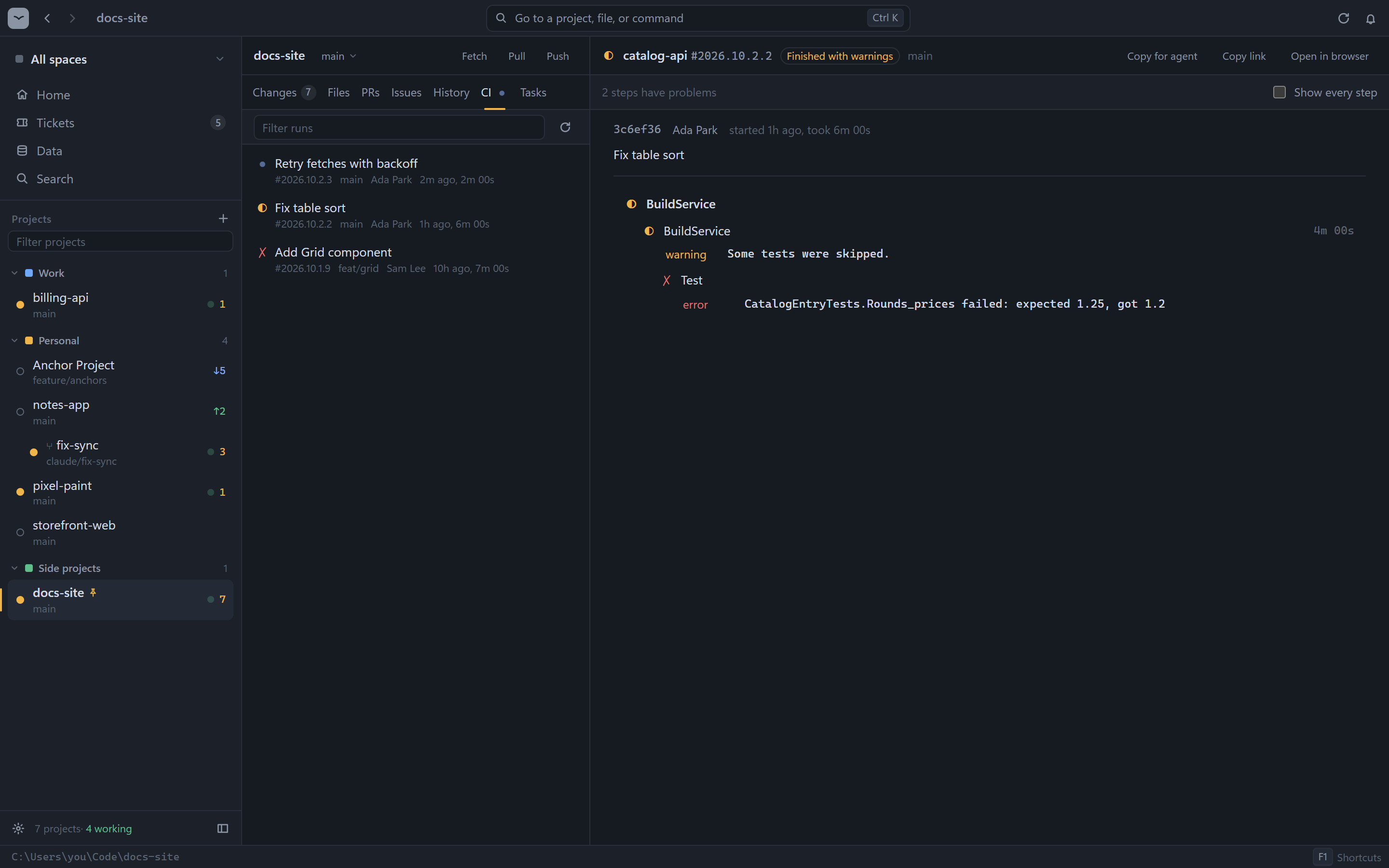
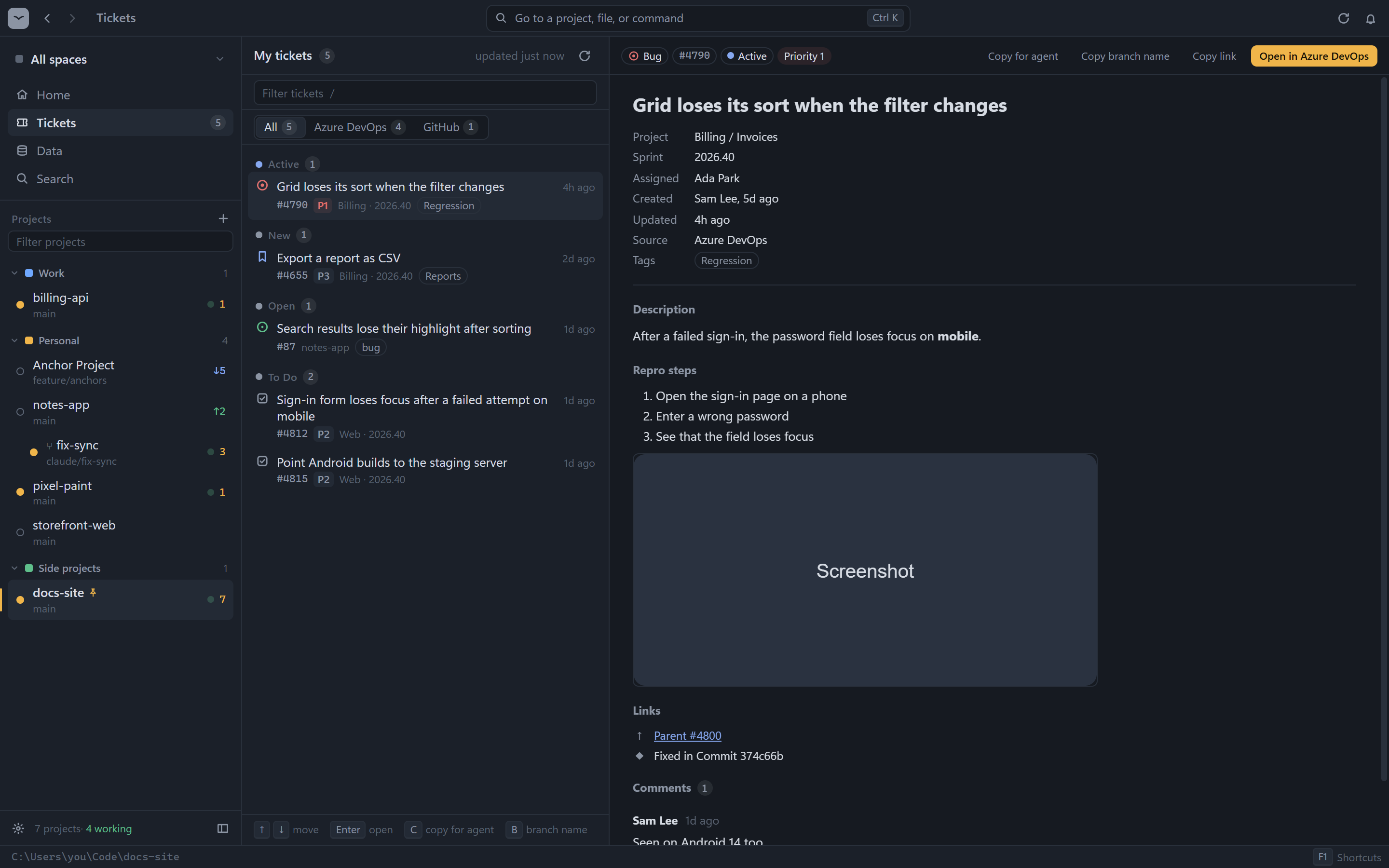
Your tickets, next to your code
Azure DevOps work items and GitHub issues assigned to you, grouped by state, with the description, repro steps, linked commits, and images.
- Copy a ticket as plain text for an agent
- Copy a branch name like
bug/4790-grid-loses-its-sort - Read only: Tern never changes a ticket
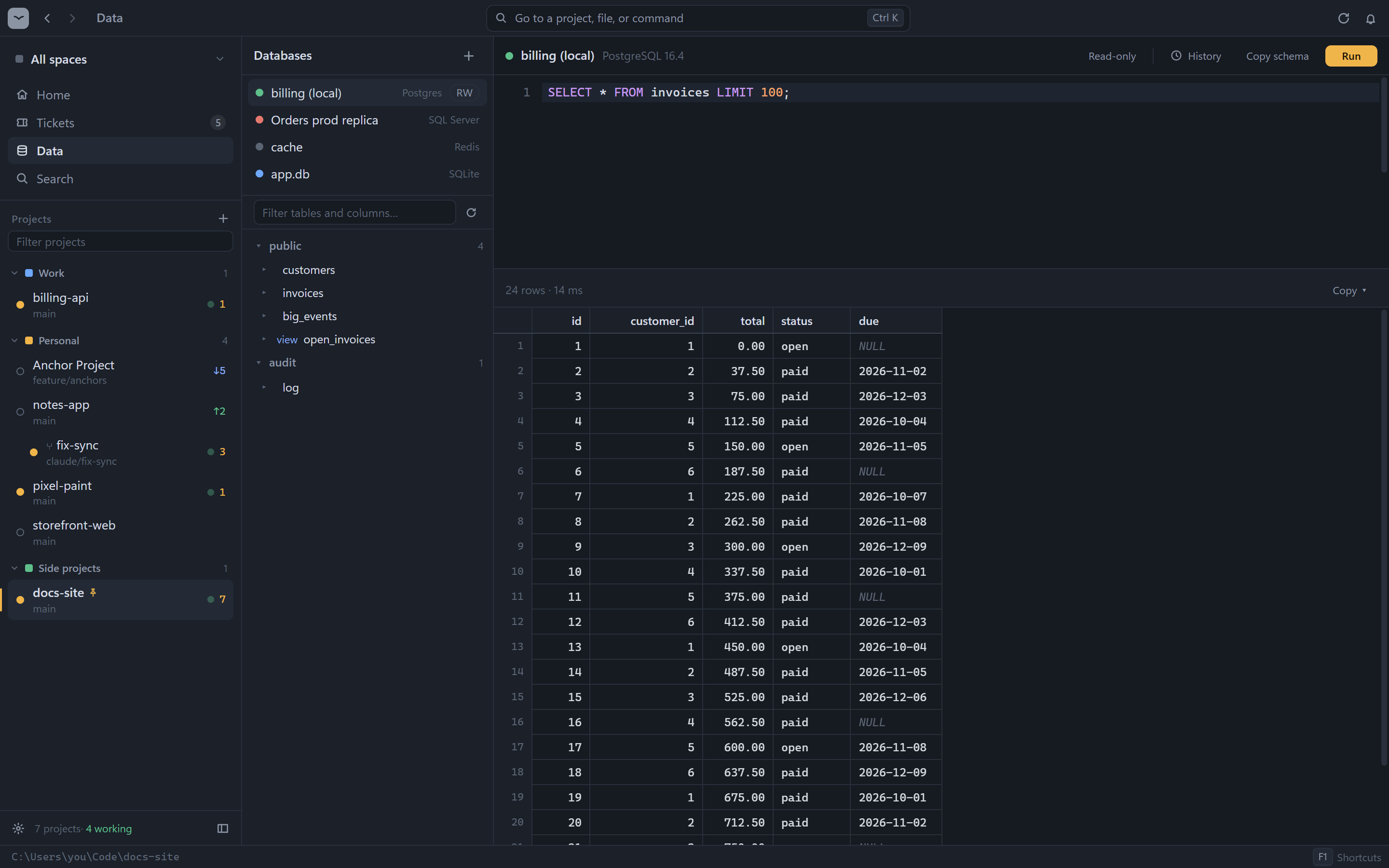
Your databases, read-only by default
SQLite, Postgres, SQL Server, and Redis. Browse tables or keys, run a query, and see the first 1,000 rows.
- Each database refuses writes until you allow them
- Passwords stay in your system keychain
- Copy the schema or a result for an agent
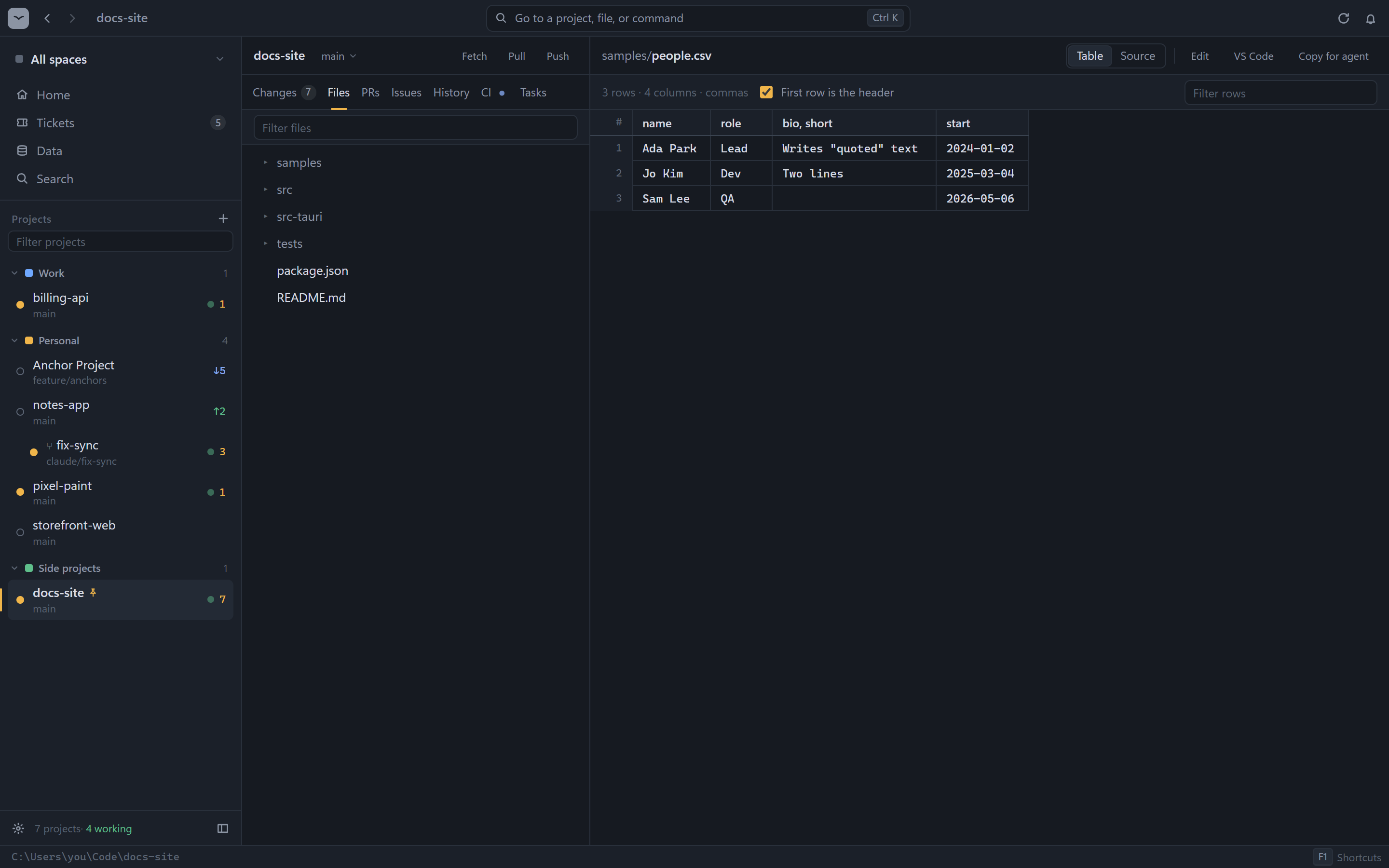
Views for more than code
Files open in the view that fits them, and big ones stay fast.
- CSV and TSV as a table; JSON, YAML, and TOML as a tree
- Logs that follow the file as it grows, with errors marked
- Images with before and after, PDFs, and Markdown as a page
Calm, in dark or light
One sidebar to go anywhere, one command bar, and the same parts on every screen. Group projects into spaces like Work and Personal.
- Twelve themes, dark and light, or follow your system
- Fetch, pull, or push many projects at once
- Worktrees fold under their project
And the rest of the toolbox
Everything a review session needs, and nothing a code editor would add on top.
.md files as a rendered page, from Tern or straight from your file manager.Keyboard first, mouse friendly
Every action has a shortcut. Press F1 in Tern for the full list.
| Ctrl K Ctrl P Ctrl Shift P | Go to a project, a file, or a command |
| Ctrl Shift F | Search across projects |
| Ctrl 0 | Home: what needs you |
| ↑ ↓ | Step through changes; each one opens as you move |
| Ctrl Shift C | Copy a path, path with lines, @mention, or diff |
| S Ctrl Enter | Stage, then commit |
| Ctrl B | Branches and worktrees |
| Ctrl Shift T Ctrl Shift D | Your tickets, your databases |
| Ctrl ` | A terminal in this project |
| F12 Shift F12 | Go to definition, or find where it's used |
Download
Pick the file for your system on the latest release.
| System | File |
|---|---|
| Windows | Tern_x64-setup.exe or .msi |
| Windows on ARM | Tern_arm64-setup.exe |
| macOS, Apple Silicon | Tern_aarch64.dmg |
| macOS, Intel | Tern_x64.dmg |
| Linux x64 | .AppImage, .deb, or .rpm |
| Linux ARM64 | .AppImage, .deb, or .rpm (arm64) |
xattr -dr com.apple.quarantine /Applications/Tern.app in Terminal.gh for GitHub or az for Azure DevOps if you use them. Tern reuses their sign-ins.Small on purpose
Tern is built with Tauri 2, Rust, Svelte, and CodeMirror. It uses your system's web view, so the app stays tiny.
- Starts in under a second; tabs load only when you open them.
- Runs git so it never blocks an agent using the same project.
- No accounts, no cloud, no telemetry. Sign-in stays with
ghandaz. - No plugins or language servers to set up.
Build it yourself
You need Node.js and Rust.
# clone and run
git clone https://github.com/Car-Role/tern
cd tern
npm install
npm run app

# an installer for your system
npm run release